ICT Setter: writing papers
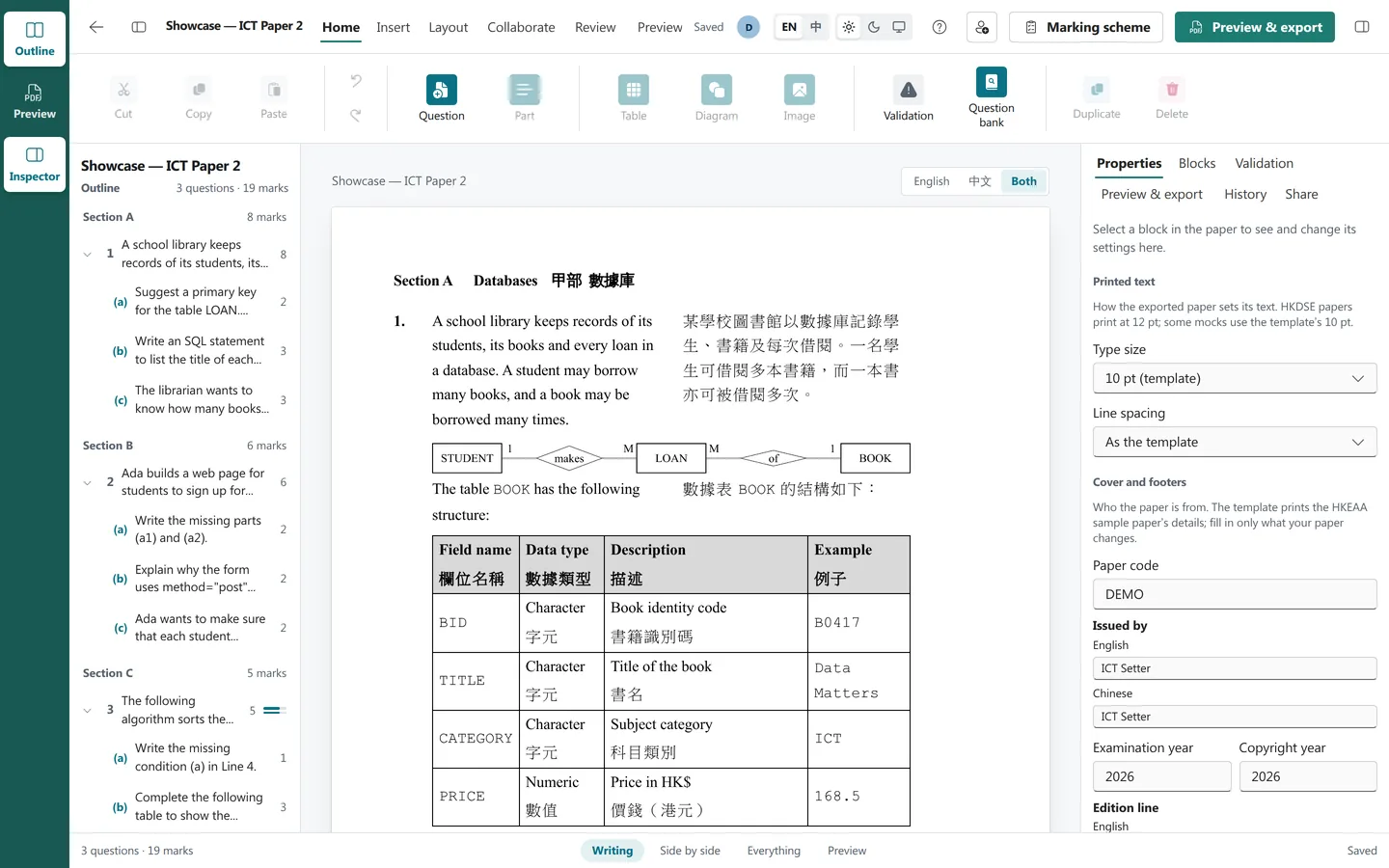
The editor is built around the HKDSE ICT papers themselves: their parts and sub-parts, their tables and code listings, their diagrams, and the exact way they are printed in both languages.
Both languages, written together
Every piece of text has an English and a Chinese version, written next to each other in the same editor. Nothing is translated for you, and nothing gets out of step: an outline shows, question by question, where either language is still missing.
The Chinese paper follows the conventions the HKDSE uses: PMingLiU for text, DFLiHei Bold for bold, and the paper's own character spacing. The English paper uses Times New Roman and Courier New.
The paper's own building blocks
- Questions and parts: numbered automatically, with (a), (i) and so on, and the marks printed at the end of each part's last line.
- Paper 2 sections: A, B and C, each starting on a new page and ending with "END OF SECTION", with results that count a candidate's best two sections when the exam says so.
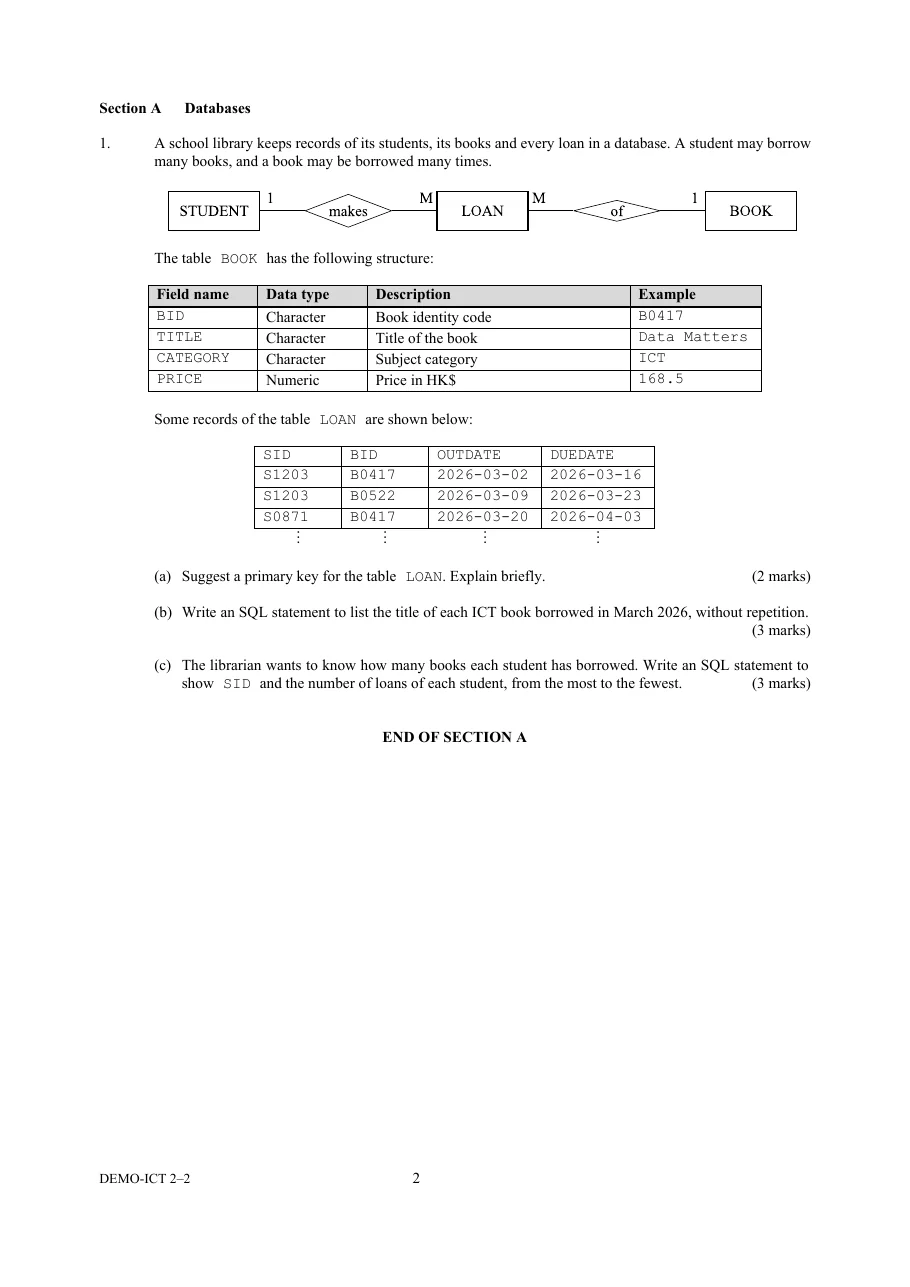
- Tables: merged cells, cell-by-cell rules, shading, alignment across and down, and widths that fit their content.
-
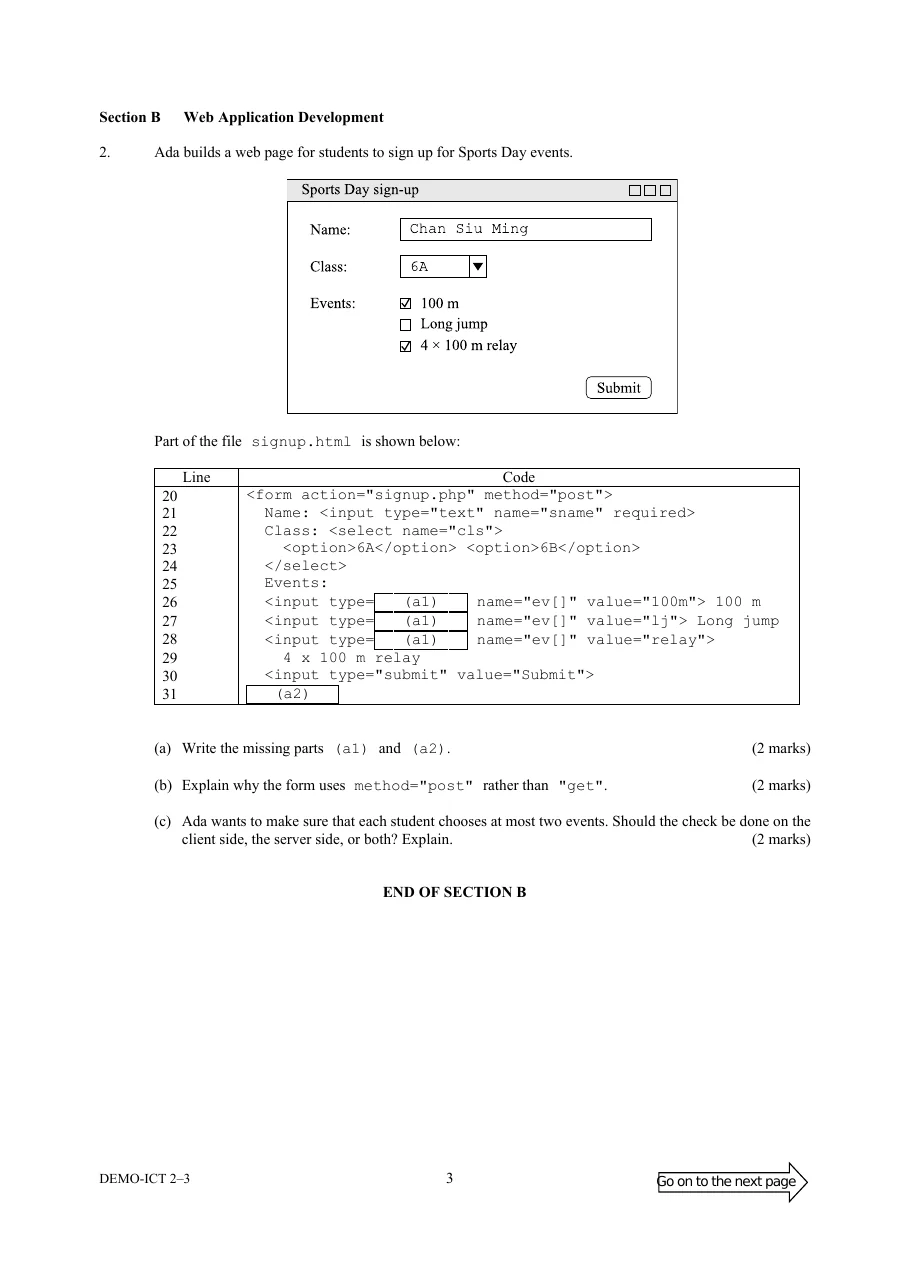
Code and pseudocode: plain, boxed or as a "Line | Code" grid, with line labels
and boxed answer blanks such as
(a1). - Diagrams: drawn with TikZ at true size, with labels written once in both languages; pictures can have a separate Chinese version.
- Answer space, page breaks, "do not write on this page" pages, and a cover with the paper's code, year and session.
Prints like the real thing
Papers print from approved Word masters for Papers 1A, 1B and 2, so the result is a real Word document in the HKDSE layout, not a web page imitating one. "Preview & export" builds the actual PDF from what has been saved, and you can download the English or Chinese Word file or PDF, or all four in one ZIP. A Word file can still be adjusted; a PDF is ready to print.
Checked before it prints
The editor checks the paper as you write, with the same rules the server applies before saving. Problems are listed in plain words and take you to the block concerned.
Working with colleagues
- Share a paper with colleagues by username, to edit or only to look.
- One person edits at a time, so no one overwrites anyone else; the others can still read the paper while it is being edited.
- Every saved version is kept, and you can go back to an earlier one.
- Save good questions to the question bank and reuse them in later papers, or import questions from a JSON file.
From paper to exam
When a paper is final, its owner locks it for exams. A locked paper is frozen: exams use exactly that version, whatever happens to the paper afterwards. The marking scheme is written against the locked paper, with marking points, accepted answers and the answers for multiple choice. Then the paper is ready for Assessment.